
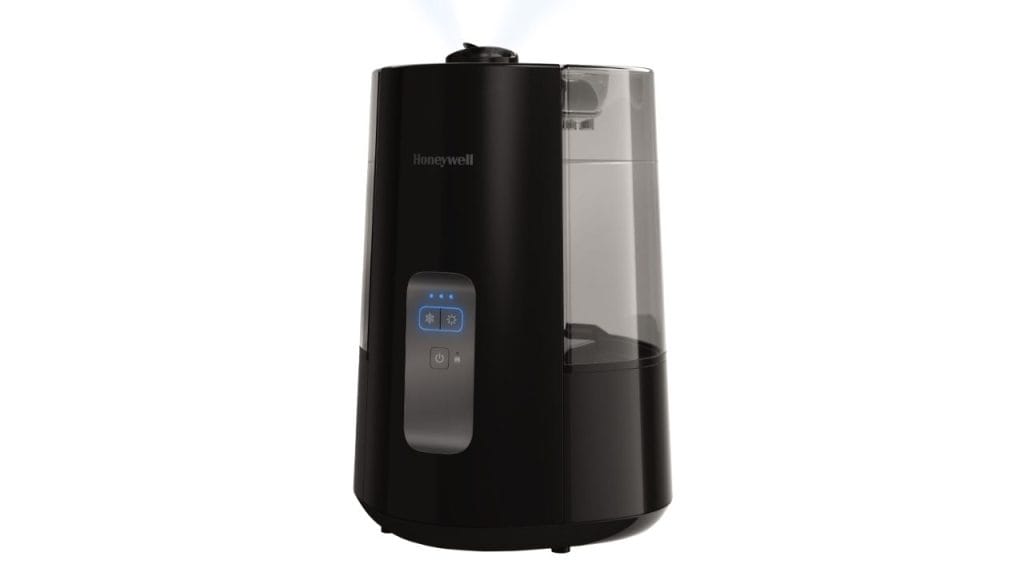
Did you know that indoor air can become drier than the Sahara during winter months? If you are wondering how to use Honeywell humidifier correctly, the good news is that the process is simple once you understand the setup, settings, and maintenance steps. A Honeywell humidifier can help add moisture back into your home, making the air more comfortable and easing dryness in your throat, skin, and nose. To get the best results, it is important to use the unit properly and keep it clean.
How to Use Honeywell Humidifier
Using a Honeywell humidifier starts with choosing the right location. Place the unit on a flat, level surface at least a few feet away from walls, curtains, and electronics. This helps the mist circulate evenly and prevents moisture from collecting on nearby surfaces.
Step 1: Fill the Water Tank
Turn off and unplug the humidifier before handling it. Remove the tank, open the cap, and fill it with clean, cool water. Most Honeywell humidifier models work best with distilled or filtered water because it can reduce mineral buildup and white dust. Make sure the tank cap is tightened securely before placing it back on the base.
Step 2: Set Up the Humidifier
After refilling, place the tank back onto the base and plug in the unit. If your model has a filter, check that it is installed correctly. Some Honeywell cool mist humidifiers use wicking filters to help trap minerals and improve moisture output. If the filter looks dirty or worn out, replace it before use.
Step 3: Choose the Right Humidity Setting
When learning how to use Honeywell humidifier models effectively, the humidity level matters. Many units have adjustable output settings or a built-in humidistat. For most homes, keeping indoor humidity between 30 and 50 percent is ideal. Too little moisture may not help dry air, while too much can encourage mold and mildew growth.
Step 4: Turn It On and Monitor Performance
Once everything is in place, turn on the humidifier and select your preferred output level. Let it run and check the room conditions after a few hours. If you notice condensation on windows or damp spots nearby, lower the setting or move the unit to a better location. Proper monitoring helps you get the best performance from your Honeywell humidifier.
Tips for Best Results
Clean the Unit Regularly
One of the most important humidifier maintenance tips is to clean the tank and base often. Empty leftover water daily, rinse the tank, and wipe down the base to help prevent bacteria and mold. Deep clean the unit according to the manufacturer’s instructions, usually once a week.
Replace the Filter as Needed
If your Honeywell humidifier uses a filter, check it frequently. A clogged filter can reduce airflow and lower moisture output. Replacing it on time helps the humidifier work efficiently and keeps the air cleaner.
Use in the Right Room Size
Match the humidifier to the size of the room. A small unit in a large room may not provide enough moisture, while an oversized unit may over-humidify a small space. Check the product details to make sure your model fits your room size.
Keep Doors and Windows Closed
To help the humidifier work better, keep doors and windows closed while it runs. This prevents dry outdoor air from reducing humidity levels and allows the unit to maintain a more comfortable environment.
Common Mistakes to Avoid
Do not run the humidifier with an empty tank. Also avoid placing it too close to beds, furniture, or walls. Finally, do not ignore cleaning and filter changes, since poor maintenance can affect both air quality and product performance.
Conclusion
Knowing how to use Honeywell humidifier the right way can make a big difference in comfort and results. With proper setup, regular cleaning, and the correct humidity setting, your Honeywell humidifier can help improve indoor air quality and make dry air easier to manage throughout the season.


