
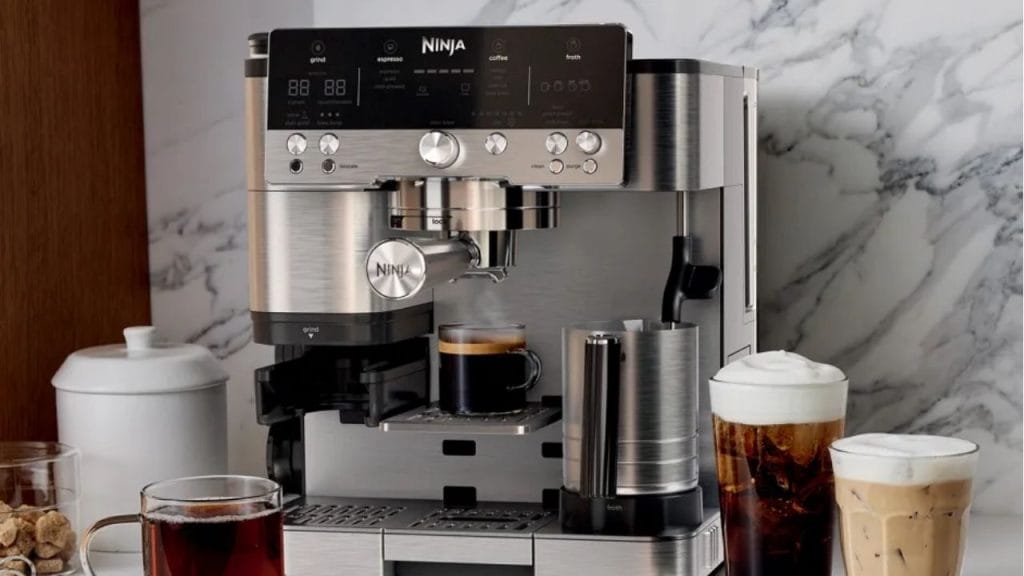
Ever wondered why your Ninja coffee maker still isn’t ready when you wake up? Setting the clock correctly is the first step to enjoying fresh coffee on your schedule. If you are searching for how to set time on Ninja coffee maker, this quick setup guide will walk you through the process in a simple, easy-to-follow way.
Why Setting the Time Matters
Setting the correct time on your Ninja coffee maker is important if you use the delay brew feature or programmable settings. Without the right clock time, your coffee could brew too early, too late, or not at all when you expect it.
A properly set clock also helps keep your morning routine smooth. Whether you own a Ninja CE251, DualBrew, or another Ninja model with a digital display, the basic time-setting process is usually similar.
How to Set Time on Ninja Coffee Maker
The steps below apply to most Ninja coffee makers with a digital control panel.
Step 1: Plug In the Coffee Maker
Make sure your Ninja coffee maker is plugged into a working outlet. The display should light up once power is connected. If the screen is blank, check the outlet and power button.
Step 2: Locate the Clock or Time Button
Look for a button labeled “Clock,” “Time,” or sometimes a combination of buttons used to adjust the hour and minute settings. On some models, you may need to press and hold a specific button to enter time-setting mode.
Step 3: Enter Time-Setting Mode
Press the clock or time button until the hours start flashing on the display. This means the machine is ready for adjustment.
Step 4: Set the Hour
Use the “Hour” or “HR” button to change the hour. Press repeatedly until the display shows the correct hour. Be sure to pay attention to AM and PM if your model uses a 12-hour format.
Step 5: Set the Minutes
Press the “Minute” or “Min” button to adjust the minutes. Keep pressing until the time matches the current minute.
Step 6: Confirm the Time
After setting both the hour and minute, wait a few seconds or press the clock button again to confirm. The display should stop flashing and show the correct time.
How to Change the Time on a Ninja Coffee Maker
If the time is already set but needs updating, the process is almost the same. Press the clock or time button again, then adjust the hour and minute using the same controls. This is helpful after a power outage, daylight saving time change, or unplugging the machine.
Troubleshooting Common Time Setting Issues
The Display Keeps Flashing
If the display does not stop flashing, the time may not have been confirmed properly. Press the clock button again or wait a few seconds for the setting to save.
The Buttons Are Not Responding
If the controls are unresponsive, unplug the coffee maker for about 30 seconds and plug it back in. Then try setting the time again.
The Clock Resets Often
Frequent resets may mean the unit is losing power. Check the outlet, cord, and power source. If the problem continues, the internal memory may need service.
Tips for Accurate Brewing
Once you learn how to set time on Ninja coffee maker, also test your delay brew settings to make sure your coffee starts at the right time. Recheck the clock after outages or daylight saving changes. If your model has a backup battery, replace it if the clock does not hold time properly.
Final Thoughts
Knowing how to set time on Ninja coffee maker helps you make the most of your machine’s programmable features. The process is usually quick, and once the clock is set correctly, you can enjoy fresh coffee right on time every day.


