
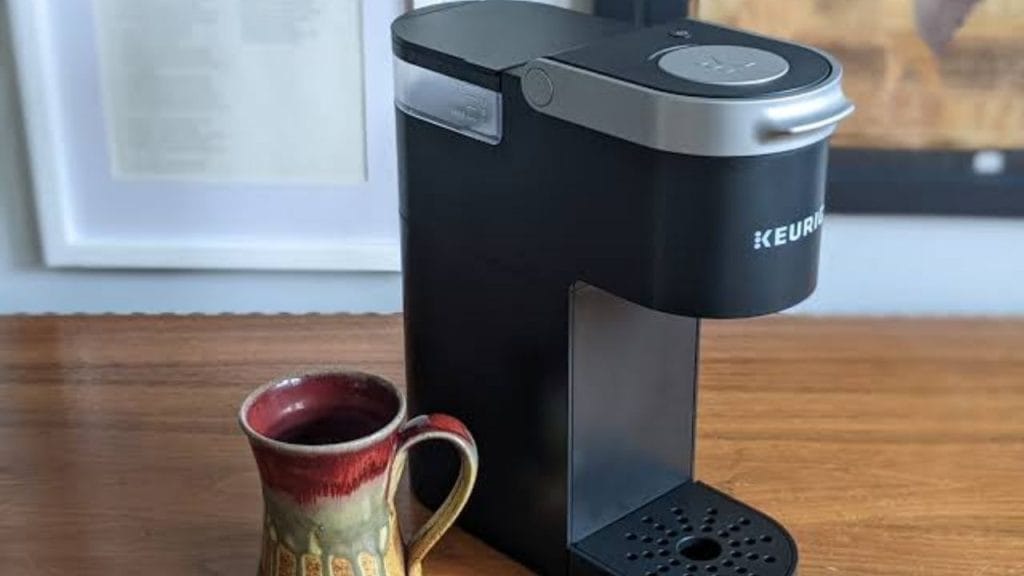
Have you ever stood in front of your Keurig wondering why it is not powering on? Learning how to turn on a Keurig coffee maker is usually simple, but the exact steps can vary slightly by model. Whether you own a basic Keurig single-serve machine or a newer touchscreen version, this quick guide will help you get your brewer ready for the first cup.
How to Turn On a Keurig Coffee Maker
Most Keurig coffee makers turn on with a power button located on the top, side, or back of the machine. On many models, you only need to press the button once to wake up the brewer and begin the startup cycle.
Step 1: Plug in the machine
Before anything else, make sure your Keurig coffee maker is securely plugged into a working wall outlet. If the machine has no power at all, check the outlet by testing it with another appliance.
Step 2: Find the power button
The power button is usually marked with a simple symbol or the word “Power.” On some Keurig models, pressing the brew button may not turn the machine on. You must use the dedicated power control first.
Step 3: Press the power button
Press the power button once. Many Keurig machines will begin heating water immediately after being turned on. You may see indicator lights flash while the brewer warms up. This is normal.
Step 4: Wait for the brewer to heat
A Keurig coffee maker usually needs about a minute or two to heat up. Once the machine is ready, the lights will stop flashing, and the brewer will be prepared for coffee brewing. On some models, the screen may display “Ready to Brew.”
How to Turn On Different Keurig Models
Not all Keurig coffee makers work exactly the same way. If your brewer seems unresponsive, the model may have a different startup process.
Keurig K-Classic and older models
These brewers typically have a visible power button near the top. Press it once to turn the machine on, then wait for the heating cycle to finish.
Keurig K-Slim and compact models
Some slim models have touch-style buttons instead of a traditional switch. Tap the power icon and allow the unit to preheat before brewing.
Keurig K-Duo and multi-function brewers
If you have a dual brewer, the power button may control both sides of the machine. Make sure the display lights up before selecting your brew size or mode.
What to Do If Your Keurig Will Not Turn On
If your Keurig coffee maker will not power on, there are a few common issues to check.
Check the outlet and power cord
Confirm the outlet works and inspect the power cord for damage. A loose connection can stop the brewer from turning on.
Reset the machine
Unplug the Keurig for at least 30 seconds, then plug it back in and try again. This simple reset often fixes minor electrical glitches.
Make sure the water reservoir is seated properly
On some models, the machine may not function correctly if the water reservoir is not aligned or installed correctly.
Look for descaling alerts
If your brewer is overdue for cleaning, mineral buildup may affect performance. Descaling your Keurig can help restore normal operation.
Tips for Smooth Daily Use
To keep your Keurig coffee maker working properly, turn it off when not in use if your model does not have an auto-off feature. Regular cleaning, fresh water, and occasional descaling can improve startup and brewing performance.
Conclusion
Knowing how to turn on a Keurig coffee maker saves time and keeps your morning routine simple. In most cases, all it takes is plugging in the brewer, pressing the power button, and waiting for it to heat up. If your machine does not turn on right away, basic troubleshooting can usually solve the problem fast.


