
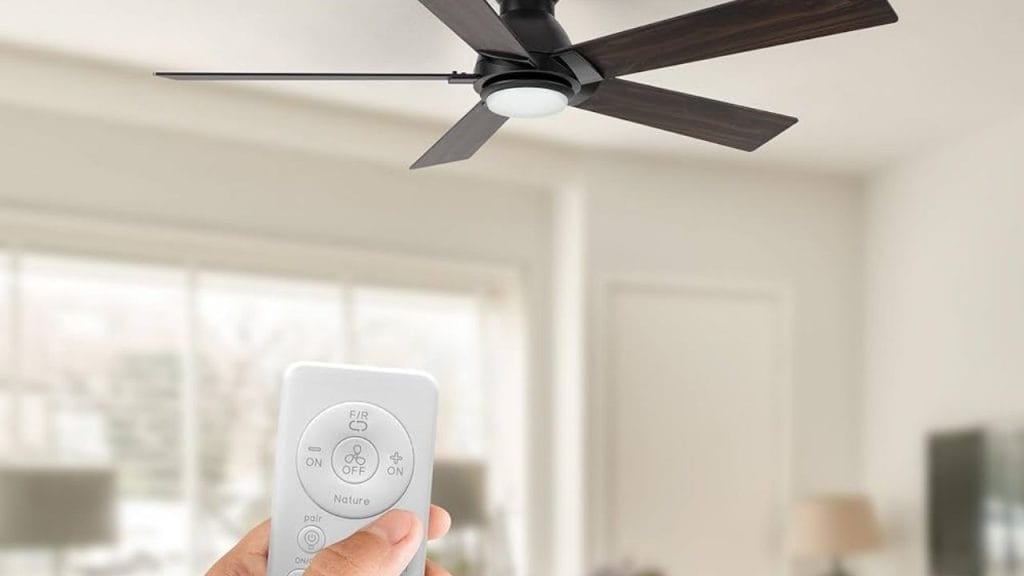
Ever wondered why your ceiling fan seems perfect in summer but useless when the weather turns cold? The answer may be in the reverse switch or remote setting. Learning how to reverse ceiling fan with remote is a simple way to improve comfort year-round and help reduce energy costs. In the warmer months, ceiling fans should rotate counterclockwise to create a cooling breeze. In the winter, reversing the fan clockwise can help circulate warm air trapped near the ceiling back into the room.
What Does It Mean to Reverse a Ceiling Fan?
Reversing a ceiling fan changes the direction of the blades. This does not change the temperature in the room, but it improves air circulation. When you reverse ceiling fan direction, the fan pushes air upward instead of downward, helping distribute warm air more evenly during colder months.
Most modern fans with a remote control include a dedicated reverse button or a fan direction setting. If your fan has this feature, switching modes is usually quick and easy.
Why Reverse a Ceiling Fan?
Using the reverse ceiling fan setting offers several benefits:
Better Comfort in Winter
Warm air naturally rises and collects near the ceiling. A clockwise fan rotation helps move that warm air down the walls and back into the living space.
Lower Energy Use
By circulating air more efficiently, your HVAC system may not need to work as hard, which can help lower heating costs.
Year-Round Flexibility
A reversible ceiling fan with remote gives you control over airflow without needing to climb a ladder or reach a wall switch.
How to Reverse Ceiling Fan with Remote
If you are trying to figure out how to reverse ceiling fan with remote, follow these steps carefully.
Step 1: Turn Off the Fan
Before changing the direction, turn the fan off using the remote. Wait until the blades come to a complete stop.
Step 2: Locate the Reverse Button
Check your remote for a reverse, direction, or season button. On some models, it may be labeled with two arrows forming a circle. On others, the feature may be hidden in the fan mode settings.
Step 3: Press the Reverse Setting
Press the reverse button once. Some fans will beep, flash, or briefly pause to confirm the direction change. If your remote has an app or smart-home function, the fan direction may be changed through the app instead.
Step 4: Restart the Fan
Turn the fan back on and confirm the direction. In summer, the fan should rotate counterclockwise. In winter, it should rotate clockwise at a low speed.
Step 5: Test the Airflow
Stand under the fan and feel the airflow. A counterclockwise setting should create a direct breeze. A clockwise setting should move air upward and create a gentler circulation.
How to Tell if Your Fan Is Reversing Correctly
If you are unsure whether the ceiling fan reverse direction is set properly, watch the blade motion from below. In summer mode, the blades should move counterclockwise. In winter mode, the reverse ceiling fan setting should spin clockwise.
If the fan does not change direction, make sure it is fully stopped before pressing the button. Some remote-controlled ceiling fan models will not reverse while running.
Troubleshooting Remote-Controlled Fan Direction
If the reverse ceiling fan with remote function is not working, try these fixes:
Check the Batteries
Weak batteries may prevent the remote from sending the full command.
Reset the Remote
Some models need a reset after battery replacement or power interruption.
Review the Manual
Different brands use different remote controls and motor systems. The reverse function may be located in a separate menu or require a specific button sequence.
Check for a Manual Switch
Some ceiling fans also have a physical direction switch on the motor housing. If the remote does not work, this switch may be the backup method.
Final Tips for Seasonal Ceiling Fan Use
Knowing how to reverse ceiling fan with remote makes it easy to improve comfort in every season. Use counterclockwise rotation in summer for a cooling effect and clockwise rotation in winter to help circulate warm air. For best results, run the fan at low speed in colder months and remember to turn it off when the room is empty.
A ceiling fan with a remote control is one of the simplest home comfort upgrades you can use all year long.


