
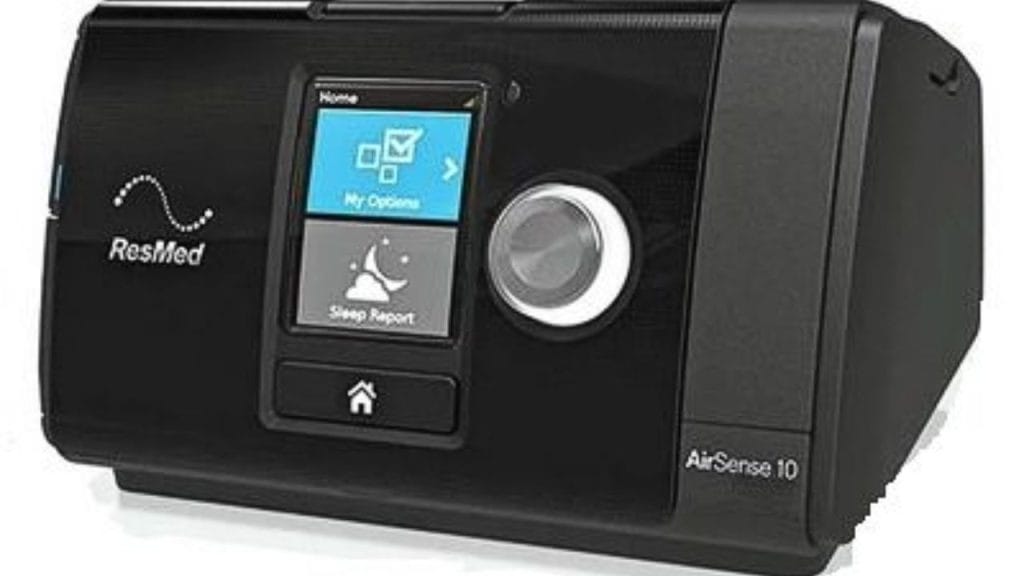
Have you ever woken up feeling a little too much moisture in your CPAP mask and wondered how to turn off humidifier on ResMed AirSense 10? Many users of this popular sleep therapy machine prefer to adjust humidity levels based on the season, room temperature, or personal comfort. The good news is that turning off the humidifier on your ResMed AirSense 10 is quick and easy once you know where to look.
What the Humidifier Does on the ResMed AirSense 10
The ResMed AirSense 10 includes a built-in humidifier designed to add moisture to the airflow. This can help reduce common CPAP side effects like dry mouth, dry nose, and throat irritation. However, some users may want to switch it off completely, especially in humid climates or when they feel they are getting too much condensation in the tubing.
Knowing how to turn off humidifier on ResMed AirSense 10 can help you customize therapy for better comfort and fewer disruptions.
How to Turn Off Humidifier on ResMed AirSense 10
There are two common ways to disable humidification depending on your setup.
Option 1: Turn the Humidity Level Down to Zero
If your model has climate settings available, you can reduce the humidity setting to the lowest level or turn it off through the menu.
- Turn on the device.
- Press the dial to open the main menu.
- Scroll to the humidity setting.
- Turn the dial to lower the humidity level.
- Set the humidity to 0 or the minimum available setting.
On many ResMed AirSense 10 units, setting humidity to zero effectively turns the humidifier off.
Option 2: Disable Humidity by Changing Climate Control Settings
If you are using the ClimateLineAir tubing, the machine may automatically manage humidity. In that case, you may need to adjust the climate control settings.
- Open the main menu.
- Go to Climate Control.
- Change the mode from Auto to Manual, if available.
- Lower the humidity level to the minimum setting.
- Save the changes and exit.
If your goal is to fully stop humidification, this is one of the most effective ways to do it.
How to Know If the Humidifier Is Off
After adjusting the settings, check the display screen for the humidity icon or setting value. If the humidity level is at zero or the climate feature is disabled, your ResMed AirSense 10 humidifier is no longer adding moisture.
You may also notice:
- Less condensation in the mask or tube
- Slightly drier airflow
- Fewer issues with rainout during sleep
When You Might Want to Keep the Humidifier On
Even if you are learning how to turn off humidifier on ResMed AirSense 10, it is worth noting that some users benefit from keeping it on. Humidification may help if you experience:
- Dry nose
- Sore throat
- Nasal congestion
- Mouth dryness
- Irritation from CPAP airflow
If you feel uncomfortable after turning it off, try raising the humidity again or using a lower setting instead of disabling it completely.
Troubleshooting If the Humidifier Will Not Turn Off
If the humidifier setting seems locked or does not change, make sure:
- The machine is powered on
- You are in the correct user menu
- ClimateLineAir settings are not overriding manual changes
- The water chamber is properly seated
If the issue continues, consult your provider or the user manual for your specific AirSense 10 model.
Final Thoughts
Learning how to turn off humidifier on ResMed AirSense 10 is simple once you understand the menu options and climate settings. Whether you want to reduce moisture, prevent rainout, or make therapy more comfortable, adjusting the humidifier can make a noticeable difference. Start with the lowest setting, test your comfort, and fine-tune from there for the best sleep therapy experience.
If you're considering a similar adjustment for the ResMed AirSense 11, learning how to turn off humidifier on ResMed AirSense 11 can help you achieve optimal comfort during sleep therapy.


