
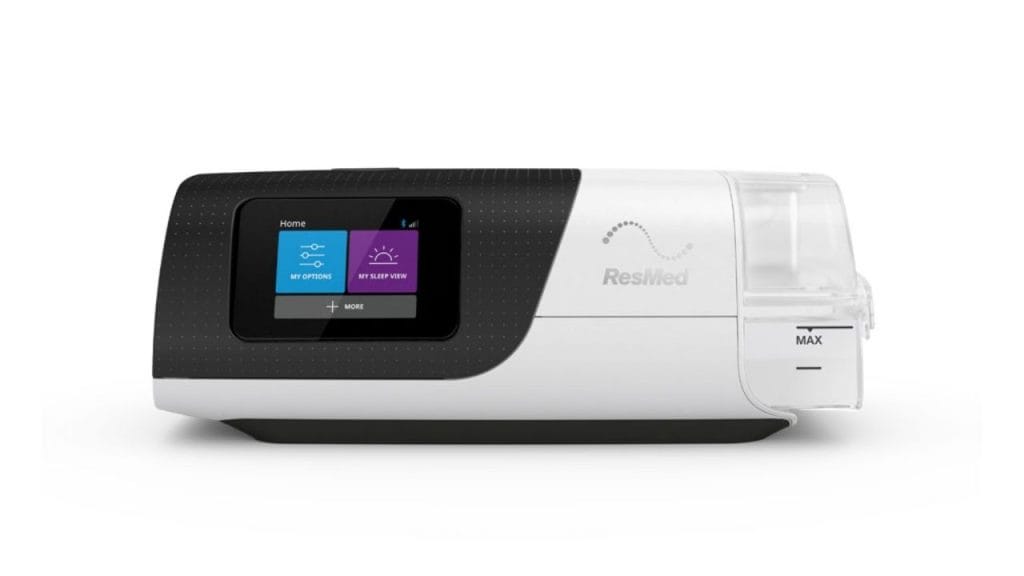
Did you know that many CPAP users adjust their humidifier settings as often as they fine-tune pressure levels for a more comfortable night’s sleep? If you are wondering how to turn off humidifier on ResMed AirSense 11, you are not alone. Whether you want to reduce condensation, simplify your therapy setup, or test how your sleep feels without added moisture, turning off the humidifier on your ResMed AirSense 11 is a quick and easy process.
How to Turn Off Humidifier on ResMed AirSense 11
The ResMed AirSense 11 makes it simple to manage humidification from the touchscreen. You do not need any tools, and the setting can usually be changed in less than a minute.
Step 1: Wake Up the Device
Tap the screen to turn it on and access the main menu. Make sure the machine is powered on and ready to use.
Step 2: Open the My Options Menu
From the home screen, select My Options. This is where you can adjust comfort settings like humidity, tube temperature, and ramp.
Step 3: Find the Humidity Setting
Scroll through the options until you see Humidity Level or Humidifier settings. On the AirSense 11, the humidity level controls how much moisture the machine adds during therapy.
Step 4: Set Humidity to Off or Level 0
Depending on your machine’s software version, you may see an Off option or a humidity level scale. To turn off the humidifier on ResMed AirSense 11, set the humidity level to 0 or select Off if available.
Step 5: Confirm the Change
Once selected, the setting should save automatically. You can return to the home screen and start therapy with the humidifier disabled.
What Happens When You Turn Off the Humidifier?
When you disable humidification, the machine stops adding moisture to the airflow. This can be helpful if you:
- Do not like the feeling of warm or moist air
- Experience water buildup in the tube, also called rainout
- Sleep in a humid climate
- Want a simpler CPAP setup
Keep in mind that some users may notice dryness in the nose, throat, or mouth when humidification is off. If that happens, you may want to try a low humidity setting instead of turning it off completely.
Should You Turn Off the Humidifier?
Deciding whether to turn off the humidifier on ResMed AirSense 11 depends on your comfort and sleep environment. Many users prefer a lower setting rather than no humidity at all. If you struggle with dry air, nasal irritation, or mouth breathing, keeping some humidity on can improve therapy comfort.
If condensation is the main problem, you may get better results by adjusting the tube temperature, using a heated hose, or lowering the humidity level rather than disabling it completely.
Troubleshooting If You Cannot Turn It Off
If you do not see a clear off option, try these tips:
Check the Clinical Menu
Some advanced settings may be controlled through the clinical menu, which is usually restricted. If your normal menu does not allow changes, your provider or durable medical equipment supplier may need to help.
Restart the Machine
Turn the device off and back on, then check the humidity settings again.
Review Your Tube Setup
If you are using a heated tube, humidity settings may be tied to temperature controls. Adjust both if needed.
Contact Your Sleep Provider
If the machine behaves unexpectedly or the setting will not save, contact your sleep doctor or equipment provider.
Final Thoughts
Learning how to turn off humidifier on ResMed AirSense 11 is straightforward once you know where to look in the menu. Just open My Options, locate the humidity setting, and switch it off or set it to zero. If you still want comfort without excess moisture, consider lowering the humidity instead of disabling it completely. That way, you can find the best balance between comfort, dryness, and effective CPAP therapy.
If you're considering making adjustments to your humidifier, you might also want to learn how to turn off humidifier on ResMed AirSense 10 for additional comfort options.


