
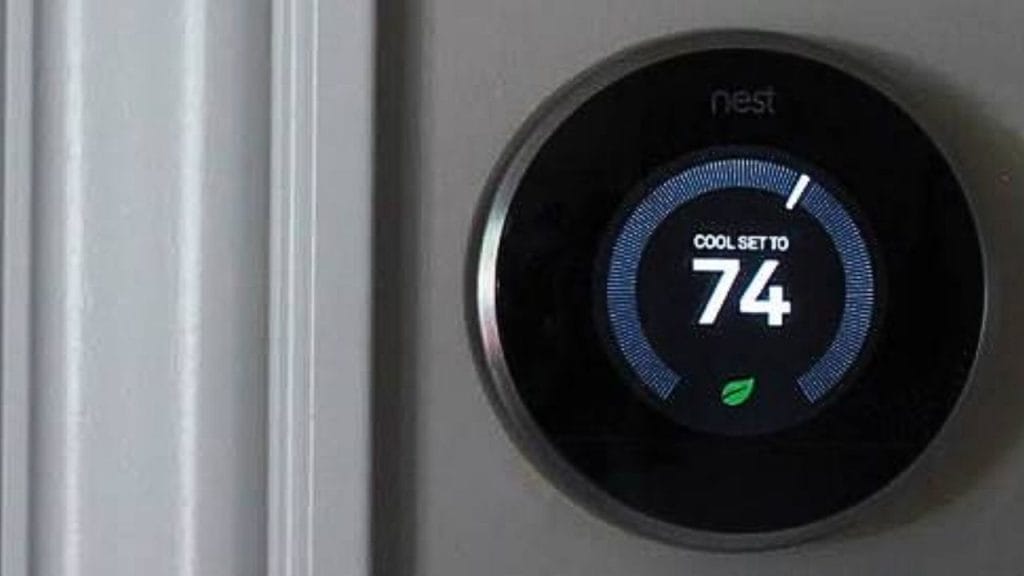
Have you ever wondered why your Nest thermostat keeps your air conditioner running even when you think it should be off? If you are searching for how to turn off nest air conditioner, the good news is that the process is simple once you know where to look. Whether you want to stop cooling for the season, save energy, or troubleshoot a system that will not shut off, this quick guide will walk you through the right steps.
How to Turn Off Nest Air Conditioner
Turning off your Nest air conditioner is usually done through the Nest thermostat, not the AC unit itself. The thermostat controls when the cooling system turns on and off, so adjusting it there is the most effective method.
Turn Off Cooling from the Nest Thermostat
To stop the air conditioner, wake up your Nest thermostat and follow these steps:
- Press the thermostat ring or tap the screen.
- Select the current mode.
- Switch from Cooling to Off.
- Confirm the change if prompted.
When the system is set to Off, the Nest thermostat should stop calling for cooling. This is the fastest answer to how to turn off nest air conditioner in everyday use.
Use the Nest App to Turn Off AC
If you use the Nest app on your phone, you can also turn off cooling remotely.
- Open the Nest app.
- Select your thermostat.
- Tap Mode.
- Choose Off.
This is helpful if you are away from home and want to shut down the AC before returning.
How to Turn Off Nest Air Conditioner Without Turning Off Heat
If your Nest controls both heating and cooling, you may want to disable only the air conditioner and leave the heat available. In that case, switch the thermostat mode to Heat instead of Off. This keeps the heating system active while preventing the cooling system from running.
Adjust the Temperature Settings
Another option is to raise the cooling setpoint above the current room temperature. Once the thermostat no longer detects a need for cooling, the AC should stop. This method is useful if you want temporary control without fully changing modes.
What to Do If the Nest Air Conditioner Will Not Turn Off
Sometimes users still see the AC running after setting Nest to Off. If that happens, there may be another issue in the HVAC system.
Check the Fan Setting
Make sure the fan is not set to On. If the fan runs continuously, it can feel like the air conditioner is still active even when cooling is off.
Restart the Thermostat
A simple restart can fix temporary glitches. Go into the settings menu and restart the Nest thermostat. After rebooting, check whether the cooling system turns off correctly.
Inspect the HVAC System
If the AC continues running, the issue may be with the system wiring, relay, or AC unit itself. In this case, the thermostat may no longer be the source of the problem. You may need to power cycle the HVAC system or contact a licensed technician.
When to Power Off the AC at the Breaker
If you want to shut everything down completely, or if the thermostat is not responding, you can turn off the air conditioner at the breaker. This cuts power to the HVAC system and is often used during maintenance or troubleshooting.
Before doing this, make sure you understand which breaker controls the AC unit and follow basic electrical safety practices. If you are unsure, call a professional.
Final Tips for Turning Off Nest Cooling
Learning how to turn off nest air conditioner is usually as easy as changing the thermostat mode to Off or using the Nest app. If the AC keeps running, check the fan setting, restart the thermostat, and inspect the HVAC system for deeper issues. For most homeowners, the Nest thermostat provides quick and reliable control over cooling, making it easy to manage comfort and energy use throughout the year.


