
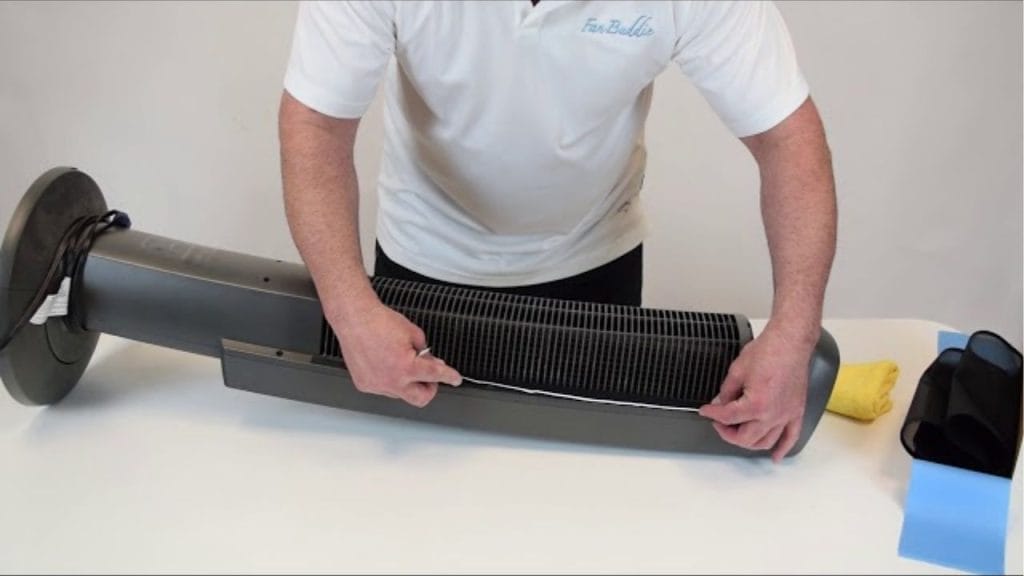
Have you ever noticed your Lasko tower fan blowing dust instead of cool air? If your fan has been running for months without a deep clean, it may be time to take it apart for a thorough cleaning. Learning how to take a Lasko tower fan apart for cleaning can help improve airflow, reduce odors, and extend the life of your appliance.
Why Cleaning a Lasko Tower Fan Matters
A tower fan collects dust, pet hair, and debris inside the vents and around the internal components. Over time, this buildup can affect performance and make the fan louder than usual. Regular maintenance also helps keep the fan running efficiently and can improve indoor air quality in your home.
Before You Start
Unplug the Fan
Always unplug the fan from the wall outlet before you begin. Never try to disassemble or clean a tower fan while it is connected to power.
Gather Basic Cleaning Supplies
You will need a soft microfiber cloth, a vacuum with a brush attachment, a screwdriver if your model uses screws, cotton swabs, and a small brush or compressed air. It also helps to have a clean workspace nearby.
How to Take a Lasko Tower Fan Apart for Cleaning
1. Remove the Base if Needed
Some Lasko tower fan models have a detachable base. Carefully turn the fan on its side on a soft surface and check the bottom for screws or locking tabs. Remove the screws and lift the base away if your model allows it.
2. Locate the Housing Screws
Inspect the back or bottom of the fan housing for screws. Many Lasko tower fans use several screws to hold the outer casing together. Remove them carefully and place them somewhere safe so they do not get lost.
3. Separate the Outer Panels
Once the screws are removed, gently pry apart the housing panels. Do not force the plastic casing. If the cover does not come off easily, check again for hidden screws or clips.
4. Access the Internal Components
After opening the fan, you should be able to see the blower wheel, motor area, and dust buildup inside. Avoid touching any wiring or sensitive electrical parts unless the manufacturer’s guide specifically says it is safe.
How to Clean the Inside of a Lasko Tower Fan
Vacuum Loose Dust
Use a vacuum with a brush attachment to remove loose dust from the vents, blades, and internal housing. Work slowly to avoid damaging parts.
Wipe Surfaces Carefully
Dampen a microfiber cloth with a small amount of water or mild cleaner, then wipe down the accessible surfaces. Never spray liquid directly into the fan.
Use Compressed Air or a Small Brush
For tight spaces, use compressed air or a soft brush to clear out stubborn dust. Cotton swabs can help clean narrow corners and vent openings.
Reassemble the Fan
After cleaning, make sure all parts are completely dry. Reattach the housing panels, reinstall the screws, and secure the base. Double-check that everything fits tightly before plugging the fan back in.
Maintenance Tips for Longer Fan Life
To keep your tower fan cleaner longer, dust the exterior regularly and vacuum the intake and exhaust vents every few weeks. If you use the fan daily, a deeper cleaning every few months can help maintain strong airflow and quieter operation.
Final Thoughts
Knowing how to take a Lasko tower fan apart for cleaning makes routine maintenance much easier. With a few basic tools and careful handling, you can remove built-up dust, improve fan performance, and help your unit last longer. Always follow your model’s user manual when possible, since some Lasko tower fan disassembly steps may vary by design.


